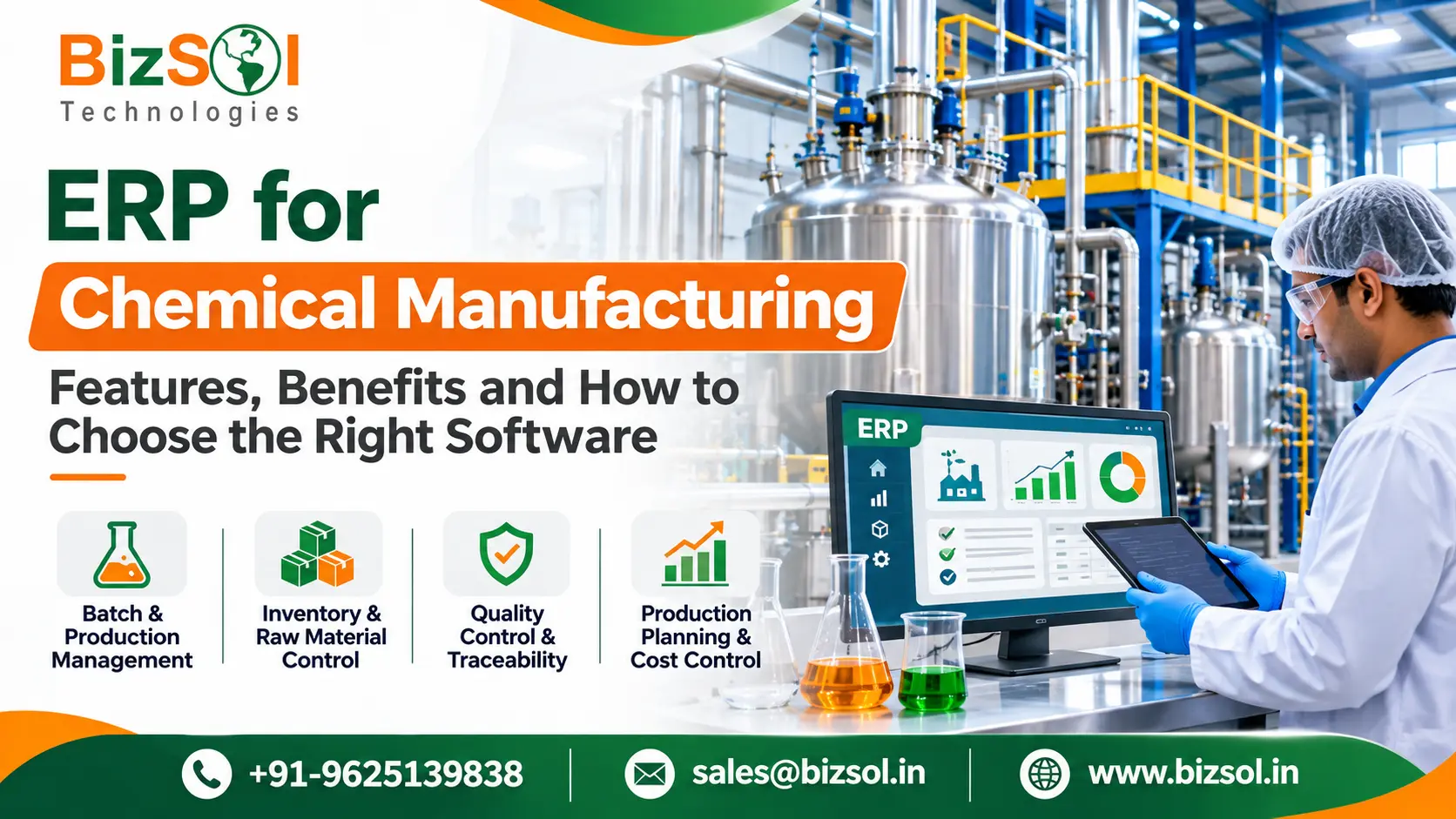

ERP for chemical manufacturing helps companies manage production, raw materials, inventory, quality, purchasing and accounts through one system.
Chemical plants handle several activities at the same time. Raw materials arrive from different suppliers, production runs in batches, and quality teams check products before dispatch. When departments maintain separate records, tracking stock, production and costs becomes difficult.
Spreadsheets and paper registers may work for smaller operations. But as production grows, missing entries and outdated information can lead to material shortages, delayed batches and costing errors.
In this guide, we explain the important features of chemical manufacturing ERP software, how it works, its benefits and what to check before choosing an ERP system. We also compare cloud and on-premise ERP and discuss the implementation process.
What Is ERP for Chemical Manufacturing?
ERP for chemical manufacturing is business software that manages purchasing, inventory, production, quality, finance and reporting for companies that make chemical products. It keeps these functions connected, so a change in one area shows up in the others.
Think of it as a single record of your operation. When stores issue a raw material to a batch, stock updates. When quality approves the batch, finished goods become available for dispatch. When accounts see the purchase and production data, costing becomes clearer.
How Chemical Manufacturing ERP Works
An ERP system is built from modules that share one database. Each module serves a department, but none of them holds data privately.
Here is a simple view of the connections:
- • Procurement raises purchase orders based on material needs.
- • Inventory records what arrives, where it is stored and what is consumed.
- • Production plans batches and records what was made.
- • Quality records inspection results and approvals.
- • Finance uses purchase, stock and production data for accounts and costing.
- • Reporting gives management a current view across all of the above.
The value is in the links. A planner can check stock before scheduling a batch. A purchase manager can see upcoming production before ordering. A manager can open one report instead of collecting five spreadsheets.
Difference Between General ERP and Chemical Manufacturing ERP
A general manufacturing ERP covers the core business functions: purchasing, stock, production orders, sales and accounts. Some chemical manufacturers find this is enough for their current process. Others need deeper functions built around how chemicals are formulated, stored and tracked.
The table below shows where the difference usually appears.
Area | General manufacturing ERP (typical) | Chemical-focused requirement to check |
Production | Production orders, bill of materials, scheduling | Batch-based processing, formula-driven production |
Formulas | Fixed material lists | Formula control, ingredient quantities, version history |
Inventory | Stock levels and movements | Lot tracking, shelf life, storage condition handling |
Quality | Inspection and approval records | Test parameters, deviation handling, certificates |
Traceability | Basic stock history | Tracking materials into batches and batches to customers |
Compliance | Documentation support | Labelling, safety data and hazardous material rules |
Requirements also differ between chemical segments. A maker of bulk commodity chemicals has different needs from a specialty chemical blender or a company making formulated products in small batches. Do not assume every plant needs every specialist feature. Start with your own process.
Why Do Chemical Manufacturers Need ERP Software?
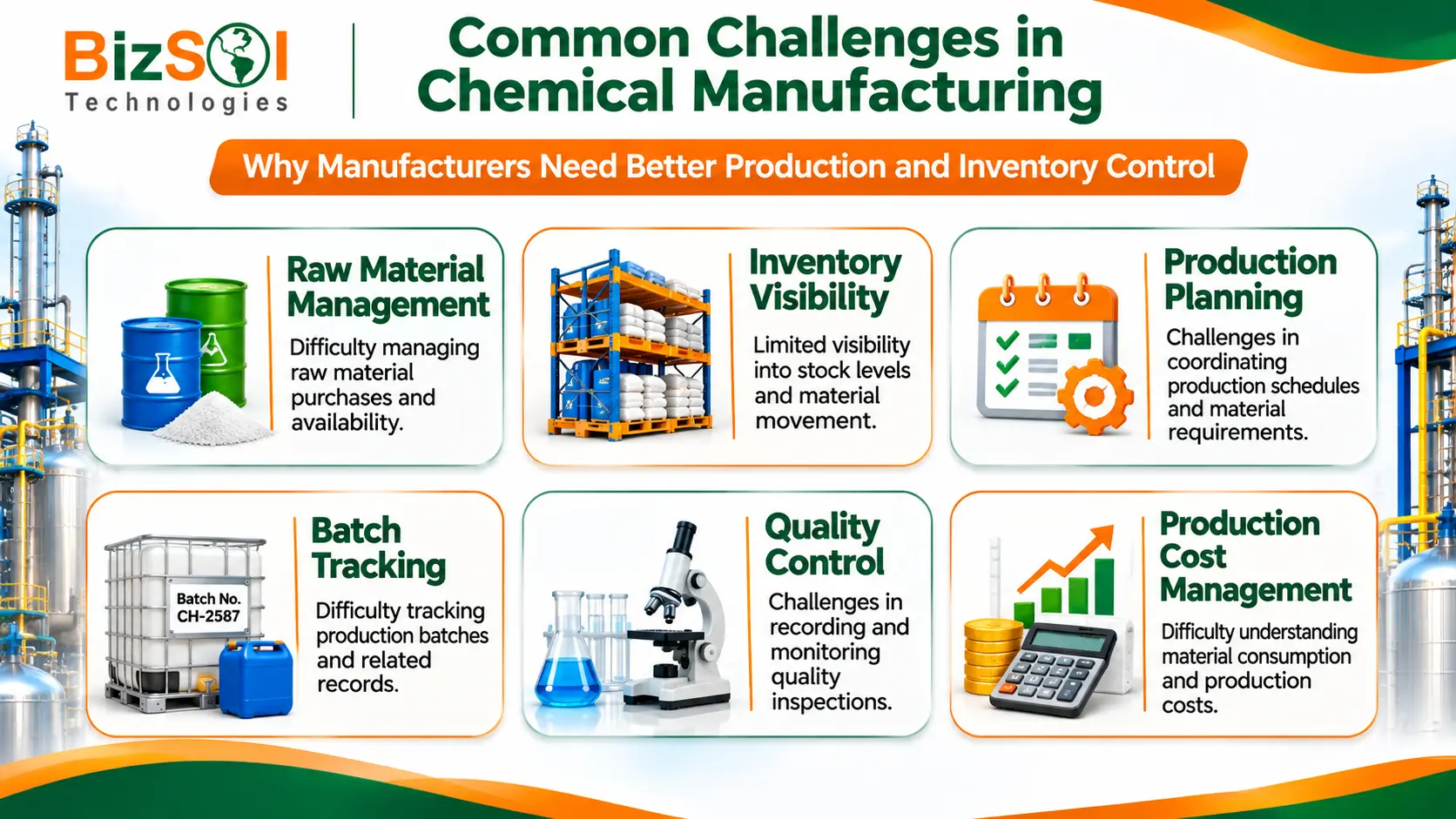
Choosing the right ERP for chemical manufacturing can help businesses manage complex production activities, improve material visibility and coordinate different departments. It provides a structured way to manage purchasing, inventory, production and quality-related information.
Disconnected Departments and Manual Data
When purchase, stores, production and accounts keep separate records, the same data gets entered several times. Each re-entry is a chance for error.
Illustration (hypothetical): Production finishes a batch, but the stores register is updated the next morning. Dispatch checks stock in the morning and sees the old figure. A customer order waits for no real reason.
Raw Material and Inventory Challenges
Raw materials are often bought in bulk and stored in different areas. Without a live stock view, teams either over-order to be safe or run short at the wrong time.
Illustration (hypothetical): A planner schedules a batch for Friday. The material is listed as available, but part of it was already issued to another batch. The shortage is found only when the batch is about to start.
Production Planning and Batch Management Problems
Batch production needs the right materials, equipment, people and timing. Planning on whiteboards or spreadsheets makes it hard to see conflicts early.
A delay in one batch also affects the next. Without a connected view, teams find out after the delay has already spread.
Quality Control and Traceability Issues
Quality records kept on paper are hard to search. If a customer reports a problem with a product, the team needs to know which batch it came from, which materials went into it and what the test results were.
Without linked records, this search can take a long time. It can also end without a clear answer.
Production Cost and Profitability Challenges
Material prices change, yields vary, and consumption is not always the same as the planned formula. If costing is done only at month-end from scattered data, it is hard to know which products earn a healthy margin.
An ERP system records material issues, purchase rates and production output together. This gives finance a stronger base for costing. The accuracy still depends on how well the data is entered.
Key Features of ERP for Chemical Manufacturing
Not every feature below is equally important for every plant. Some are core ERP functions. Others are specialist capabilities that depend on your process. Where this applies, it is noted.
Batch and Production Management
This feature plans and records production in batches. It covers production orders, batch sizes, progress and the final output.
Why it matters: it gives the shop floor and management one record of what was planned, what was made and what is still in progress. Teams can see where work-in-progress is stuck and plan the next batch with more confidence.
In chemical production, planned and actual figures rarely match exactly. A batch may use slightly more or less of an ingredient than the formula says. When the ERP records planned and actual material consumption along with batch output, managers can review the difference batch by batch and look into the cause. Depending on the system, this review may be a standard report or may need configuration.
Formula and Recipe Management
A formula lists the ingredients and quantities needed to make a product. Formula control means the system holds the approved version and uses it when production is planned.
Ingredient quantities matter because a small error can change the finished product. Raw materials also vary from lot to lot, for example in strength or purity, and this can affect product consistency. An approved formula version helps make sure every batch starts from the same agreed recipe.
Basic ERP systems can store a bill of materials. Advanced formulation functions, such as formula version control or calculations that adjust for ingredient strength, are specialist features. If your products depend on these, ask vendors to demonstrate them with your own formulas.
Raw Material and Inventory Management
This gives a live view of stock by item and location. It records receipts, issues to production and stock movements between locations.
Why it matters: accurate stock records reduce shortages and excess buying. Material consumption data also helps you compare planned use against actual use.
In a chemical plant, stock records carry extra weight. Some materials expire or lose quality over time, and some need specific storage conditions. Before a batch is planned, the planner needs to know what is actually available, not just what was bought. If shelf-life tracking or storage-condition handling matters to you, treat it as a requirement to verify with each vendor, since not every ERP system offers it.
Production Planning and Material Requirement Planning
Material requirement planning (MRP) compares what production needs with what is in stock and on order. It then shows what must be purchased and when.
For a chemical manufacturer, this prevents batches from being scheduled without material. It also helps purchasing plan around supplier lead times.
Quality Control and Inspection Management
This feature records inspection at different stages: incoming material, in-process checks and finished goods. It also records approval or rejection.
Why it matters: the system can record approval or hold status, and the next step follows your configured quality process. Quality records can be linked to the batch or lot instead of sitting in a separate file. Specialist needs, such as deviation workflows or certificate generation, vary by company and should be checked separately.
Quality checks usually happen at three points:
- • Incoming raw material inspection: checking supplier material before it is accepted into stock.
- • In-process checks: testing samples during production to confirm the batch is on track.
- • Finished product inspection and approval: testing the final output against specification before release.
Procurement and Supplier Management
This covers purchase requests, purchase orders, supplier records and goods receipt. It connects what you plan to produce with what you need to buy.
A clear supplier history helps purchase teams compare rates and delivery performance. It also keeps material availability visible to production.
Supplier lead times matter in India, where plants often buy from several domestic and imported sources. If the system shows lead times next to production plans, purchase teams can order earlier.
Batch and Lot Traceability
Traceability means being able to follow a material forward into batches, and a batch backward to its materials. It matters most when you must investigate a quality complaint.
The depth of traceability differs between systems. Ask how a system links supplier lots, production batches and customer dispatches, and ask to see it work.
Illustration (hypothetical): A customer reports a problem with a product. The quality team looks up the finished goods lot, finds the production batch it came from, and checks which raw material lots were issued to that batch and which supplier delivered them. If the records are complete, this search is far quicker than going through paper registers. It works only when lot numbers are recorded at receipt, issue and dispatch.
Warehouse Management
Warehouse functions track stock locations, material movement and finished goods. They show what is stored where and what is ready for dispatch.
Chemical storage can involve special handling rules. If your materials need segregation or specific storage conditions, confirm whether the system supports them or whether your team will manage them through procedure.
Finance and Production Cost Management
Finance modules connect purchase, stock and production data to accounts. This supports costing, payables, receivables and financial reporting.
Why it matters: when cost data comes from the same source as stock and production, finance spends less time reconciling and more time analysing.
Batch costing depends on more than purchase prices. Actual material consumption, production output, yield and process loss all change the cost of each batch. An ERP can bring these figures together, but not every system calculates all of them automatically, so check which cost elements are included and which need manual input.
Reporting and Real-Time Business Insights
Reports turn the data from all modules into management information. Examples include stock position, production status, pending purchase orders and quality summaries.
Good reporting lets owners and plant heads act on current information instead of waiting for month-end summaries.
How ERP for Chemical Manufacturing Manages the Production Process
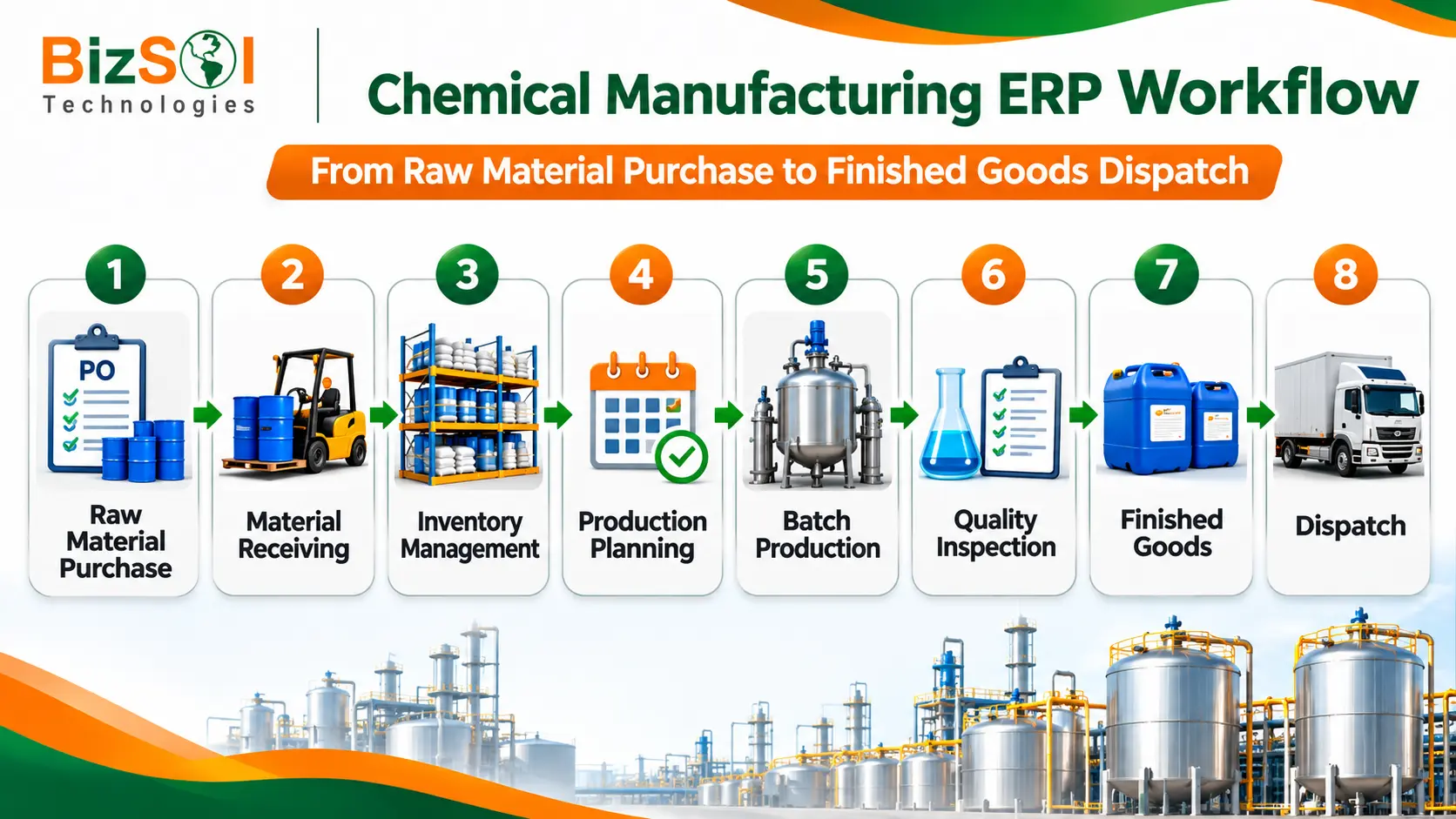
ERP for chemical manufacturing connects different stages of the production process, from raw material purchasing and receiving to inventory management, production planning, batch processing, quality inspection and finished goods dispatch.
The flow below shows how information moves through a typical plant. The exact process varies by chemical product, manufacturing method and company requirements.
Raw Material Purchase → Material Receipt → Inventory → Production Planning → Batch Production → Quality Inspection → Finished Goods → Dispatch
Raw Material Purchasing and Receiving
The process starts with need. Based on sales orders, forecasts and stock levels, the system shows what must be purchased. Purchase orders go to suppliers.
When material arrives, stores record the receipt against the purchase order. Any mismatch in quantity is visible immediately.
Material Storage and Inventory
Received material is recorded in stock with its location. If inspection is required, its status can be recorded as held or approved, following your configured quality process.
This step keeps stock records current, which is the base for everything after it.
Production Planning and Batch Creation
The planner creates a production order for a batch. The system compares the required materials with available stock and shows any shortage.
Illustration (hypothetical): A planner wants to run a batch next week. The ERP shows two raw materials are short. A purchase request is raised the same day, with the batch date in view. The planner can also see that one reactor slot is free on Thursday and plan around it.
Chemical Processing and Production Monitoring
During production, materials are issued to the batch and progress is recorded. Supervisors can see which batches are running and which are waiting.
Production records show what was consumed and what was produced. This gives a base for yield and cost review.
Quality Inspection and Approval
Samples are tested against the required parameters, and results are recorded against the batch. The batch is approved or held.
The ERP can record the inspection result and the approval or hold status. What happens next follows the quality process your company has configured. This keeps the quality decision tied to the batch record.
Finished Goods and Dispatch
Approved output is added to finished goods stock. Sales and dispatch teams can see what is available and commit to customer orders.
When goods are dispatched, stock reduces and billing can follow from the same record.
Putting it together: a hypothetical example
This is an illustration only. It is not a BizSol customer case.
Consider a fictional company that makes an industrial cleaning chemical.
- Purchase: The company raises purchase orders for the raw materials it needs.
- Receipt: Stores records the received materials against the orders.
- Planning: Production plans a batch of the cleaning chemical.
- Availability check: The system compares the batch needs with stock and shows any shortage.
- Production record: Production records material consumption and batch output.
- Quality: The quality team records the inspection result for the batch.
- Release: Approved finished goods become available for dispatch.
- Finance: Finance reviews the purchase and production cost information.
Each team works from the same record, so no one re-enters data or waits for a phone call to confirm stock.
Benefits of ERP for Chemical Manufacturing Companies
The benefits of ERP for chemical manufacturing go beyond maintaining business records. An integrated system helps manufacturers coordinate production, monitor inventory, organize purchasing and access important operational information through connected modules.
ERP does not guarantee a particular result. The benefits depend on how well the system fits your process and how consistently your team uses it. With that in mind, these are the benefits most manufacturers look for.
Better Production Visibility
Management can see which batches are planned, running or complete without walking the floor or calling supervisors.
Improved Inventory Control
A single stock record reduces the gap between what the system shows and what is on the shelf. This supports better purchasing and fewer last-minute shortages.
More Consistent Production and Quality Processes
Standard workflows mean every batch follows the same recorded steps. Quality results can be linked to batches, which supports a more consistent process.
Better Material and Cost Planning
When planning, stock and purchasing data are connected, teams can plan material needs earlier. Cost data is also easier to review product by product.
Improved Coordination Between Departments
Purchase, stores, production, quality and accounts all see the same data. This reduces back-and-forth and repeated data entry.
Faster Reporting and Decision-Making
Reports come from live data, so management can review the position at any time instead of waiting for manual compilation.
Smaller manufacturers often value ERP for basic control: stock accuracy, batch records and simple costing. Larger organisations tend to value coordination across departments, plants or branches. Both groups gain from a clean, shared record, but they will weigh features differently.
How to Choose the Best ERP for Chemical Manufacturing
The best ERP for chemical manufacturing is the one that fits your actual workflows, your plant size and your growth plans. A longer feature list does not mean a better fit.
So, evaluate workflows, not brochures. Ask each vendor to walk through your real process, such as one batch from purchase to dispatch.
Check Your Chemical Manufacturing Requirements
Start by listing how you work. Do you run fixed-recipe batches or custom formulations? Do materials need special storage? What do customers and regulators expect you to record?
Mark each requirement as essential, useful or optional. This keeps vendor discussions focused.
Evaluate Production and Inventory Features
Check batch planning, material requirement planning, stock tracking and quality records. Ask how the system handles your formulas, units of measure and lot tracking.
If you run more than one plant or warehouse, check how stock is coordinated between locations and whether management reports can combine them. When you compare ERP software for chemical manufacturing, ask for a demonstration of this multi-location view, not just a description.
Review Customization and Integration
No two plants work exactly alike. Ask how easily screens, workflows and reports can be adjusted, and what that costs. Also check how the ERP connects with your existing tools, such as accounting software, banks or lab systems. If your process is unusual, a custom ERP software solution approach may be worth discussing.
Also ask how GST and accounting needs are handled, such as invoicing and tax reporting, and whether the ERP links with your existing accounts. This varies between systems, so treat it as a question for each vendor.
Compare Cloud and On-Premise Deployment
The right model depends on your infrastructure, IT team and control needs. The next section covers this in detail.
Check Implementation, Training and Support
Ask who will configure the system, how your data will be moved, how users will be trained and what support is available after go-live. A good product with weak support can still fail in practice.
Local support matters. Ask whether implementation, training and support are available in your region, and who your team can call when something goes wrong on the shop floor.
Evaluate Total Cost of Ownership
Look beyond the first quote. Include licences or subscription fees, implementation, customization, training, hardware if needed, support and future upgrades. Pricing differs widely between vendors and projects, so ask for a written breakdown.
ERP selection checklist
Question to ask | Why it matters |
Can the system manage batch-based production for our process? | Confirms the core fit |
How does it handle our formulas and ingredient quantities? | Separates basic from specialist capability |
Can it track material lots into batches and dispatches? | Needed for complaint investigation |
How does it support quality inspection and approval? | Controls material and product release |
Can it plan materials against production needs? | Reduces shortages and excess stock |
What can be customized, and at what cost? | Avoids surprises after purchase |
Which deployment options are available? | Matches your IT setup |
What do training and support include? | Affects adoption |
What does the full cost cover? | Shows total cost of ownership |
Can the vendor demonstrate our workflow? | Proves fit before you commit |
For a wider view of options, you can also read about the best manufacturing ERP software in India.
Cloud vs. On-Premise ERP for Chemical Manufacturers
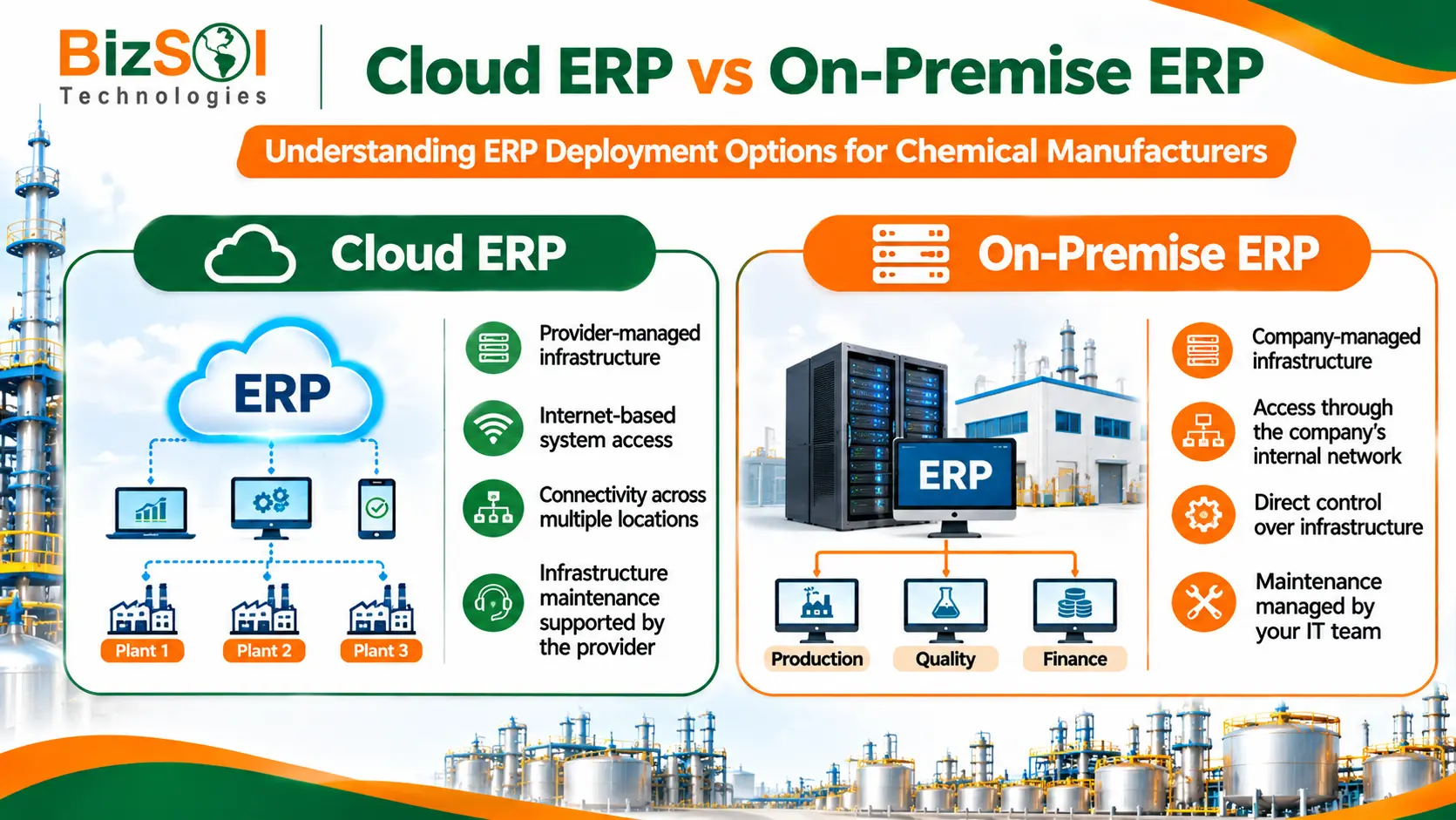
Both models can work. The choice depends on your infrastructure, IT skills, security approach and how many locations need access.
Cloud ERP
In a cloud model, the ERP runs on servers managed by the vendor or a hosting provider. Users connect through the internet.
It suits companies with several locations or remote users, and those that prefer not to maintain servers. The trade-offs are dependence on internet connectivity and the need to understand how the provider handles data security.
On-Premise ERP
In an on-premise model, the ERP is installed on servers at your own site. Your team manages the infrastructure.
It gives more direct control over data and environment, and suits plants with strong IT teams or specific policies. The trade-offs are the cost of hardware, maintenance, backups and upgrades.
Factor | Cloud ERP | On-premise ERP |
Infrastructure | Managed by provider | Managed by your team |
Access | Internet-based, multi-location | Mostly within your network unless set up otherwise |
Maintenance | Usually handled by provider | Handled by your IT team |
Control | Shared with provider | Direct control |
Security responsibility | Shared | Mainly yours |
Cost pattern | Often recurring subscription | Often larger upfront cost plus upkeep |
Which Deployment Model Should You Choose?
Neither model is better for everyone. Cloud ERP may suit a growing manufacturer with multiple branches. On-premise ERP may suit a single plant with its own IT team and strict data control needs.
Before you decide, confirm what the vendor offers. Ask who is responsible for backups, security and upgrades under each option.
ERP Implementation: What Chemical Manufacturers Should Prepare
Implementation scope and timelines depend on business size, data quality, customization, integrations and operational complexity. A single-plant company with clean data will have a different journey from a multi-branch company with legacy systems. Ask vendors for a plan based on your scope, not a standard promise.
Identify Business Requirements
Document your current workflows and problems. Decide which processes the ERP must cover first. A clear scope prevents delays later.
Organize Existing Business Data
Clean data makes a smoother start. Review item masters, supplier lists, customer records, stock balances and formulas. Remove duplicates and fix errors before migration.
Configure Modules and Workflows
The vendor sets up modules to match your process: approval steps, units of measure, stores, locations and reports. This is also when customization needs become clear.
Train Employees
People on the shop floor, in stores, in quality and in accounts all use the system differently. Role-based training helps each group learn what they need. Adoption is often the deciding factor in whether ERP works.
Test and Go Live
Test real scenarios before going live, such as a full batch from purchase to dispatch. Fix issues, confirm that users are comfortable and plan support for the first weeks after launch.
How BizSol ERP Supports Manufacturing Operations
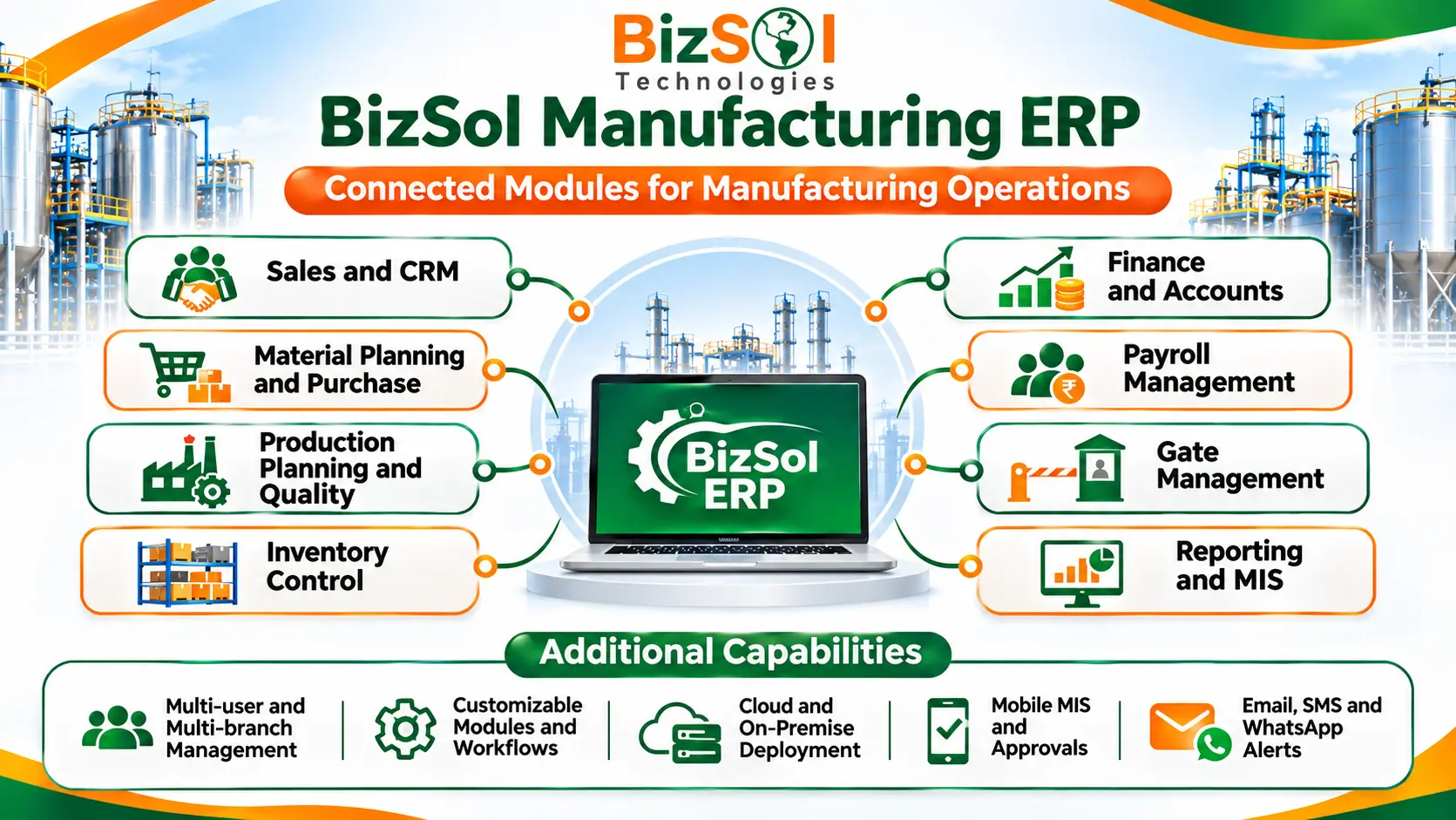
BizSol Technologies Pvt. Ltd. offers manufacturing ERP software that helps businesses manage operations, improve visibility and automate business processes. Its documented modules cover many of the business areas discussed in this article.
BizSol’s documented capabilities include:
- • Sales and marketing management, and CRM
- • Material planning and purchase management
- • Production planning and quality management
- • Inventory control
- • Finance and accounts
- • Payroll management
- • Gate management
- • Multi-user and multi-branch management
- • Customizable modules, workflows and reports
- • Cloud and on-premise deployment
- • Mobile access to MIS, production information and approvals
- • Alerts and MIS through email, SMS and WhatsApp
Bank API integrations with HDFC, Axis and ICICI
- • Paperless workflows and offline transaction authorization
Here is how the confirmed modules relate to day-to-day manufacturing work:
- • Material Planning and Purchase Management connects purchasing with material requirements.
- • Inventory Control provides stock visibility.
- • Production Planning and Quality Management supports manufacturing operations.
- • Finance and Accounts connects business transactions with financial reporting.
- • Reporting and MIS helps management review operational information.
In practice, this means purchase planning, production, quality, stock, accounts and reporting can work from one system. You can read more on the BizSol Manufacturing ERP Software page.
It is also worth being clear about fit. Chemical manufacturers with specialist needs, such as advanced formulation control or compliance automation, should discuss those needs with the BizSol team and request a product demonstration against their own workflow. These specialist functions are not listed among BizSol’s documented modules, so confirm each one before you decide. As this article advises for any vendor, judge the system on your actual process, not on a feature list.
For companies with several plants or a mix of manufacturing activities, the ERP for industrial companies page gives further context.
Frequently Asked Questions About ERP for Chemical Manufacturing
1. What is ERP for chemical manufacturing?
ERP for chemical manufacturing is software that connects purchasing, inventory, production, quality and accounts. It helps departments manage business information through one system.
2. What are the main features of chemical manufacturing ERP software?
Key features of ERP for chemical manufacturing may include batch production, inventory control, material planning, procurement, quality inspection, traceability, costing and reporting. Advanced formula management and compliance features depend on the software.
3. How does ERP help chemical manufacturers manage inventory?
ERP tracks raw materials, stock receipts, material issues and warehouse movements. It helps production teams check material availability before scheduling a batch.
4. Can ERP software manage batch production?
Yes. Many ERP systems support batch production orders, material consumption and output records. Check whether the system supports the level of batch control your process requires.
5. How does ERP improve quality control in chemical manufacturing?
ERP can record raw material inspections, production checks and finished product approvals. These records help teams review quality information and trace decisions.
6. What is the difference between general ERP and chemical manufacturing ERP?
General ERP manages core functions such as purchasing, inventory, production and accounts. Chemical-focused ERP may also include specialist functions for formulations, batch traceability and chemical handling.
7. Is cloud ERP suitable for chemical manufacturing companies?
Yes. Cloud ERP can suit manufacturers that need access across multiple locations without maintaining their own servers. The decision depends on internet access, security requirements, IT resources and cost.
8. How much does ERP software cost for a chemical manufacturing company?
ERP cost depends on users, modules, customization, deployment, integrations, training and support. Request a detailed quotation covering both initial and recurring costs.
9. How long does ERP implementation take?
Implementation time depends on business size, data quality, customization and integration requirements. Ask the vendor for a project plan with clear stages and milestones.
10. How do I choose the best ERP for chemical manufacturing?
List your production, inventory, quality and reporting requirements before comparing vendors. Ask each vendor to demonstrate your actual manufacturing process and compare the total cost.
Conclusion
ERP for chemical manufacturing connects important business activities, from raw material purchasing and production to quality checks and dispatch. It gives teams better access to information and helps managers track operations.
Before selecting software, check its production planning, inventory, quality, procurement and financial management features. Also consider customization, implementation, support and future business requirements.
Looking for an ERP system for your manufacturing operations? Explore BizSol Manufacturing ERP and discuss your requirements with the team.
Phone: +91-9625139838
Email: sales@bizsol.in